
Archived from the original dev blog and left as it was written, so it reflects the game as it stood in 2008.
Howdy, today you're in for a treat as you get to take a small peak inside the programming world of Black Mesa.
Lets start off then, shall we?
The source sdk even with its "What the Fracks" is a thing of beauty which allows modders and programmers to achieve quite remarkable things. Hell, it even comes packed with plenty of helper classes, functions, and interfaces which allow us programmers to create nifty gadgets in remarkable time. The only thing stopping or pausing your development is finding those hidden tools needed to achieve your goal. Of course, its best to know what your looking for so you can search reliably. This is fine and dandy if you know or have some idea of game programming, but if your new to it and you just dive right in then prepare to cringe. The sdk was/is built in the mind of those who understand gaming programming and its components ( yes, this includes the graphics, game logic, and fun math! ).
A case in point happened to yours truly a few days ago where I had to search deep inside the sdk for something which was vital for the project. It started off when we decided to rework the cockroaches so we can have more then just 4-5 on the map. The roach was composed of an entity, and entities are quite expensive quite a few of them are used. Also, only a certain amount of entities can exisit before the engine alerts you with "WTF you went over the entity limit" then explodes. We want a crap load on a map at a given time, so the roach had to be a non entity class which would be cpu cheap. I ended up wrighting a new cockroach prototype and it worked fine and dandy. The roaches would climb all over the world and was rather cool. However, they where bit more expensive then I would have liked tem to be. The roaches would fire off a ray or "traceline" too often, but was needed to perfect their movement so they could climb on any surface.
I was not too pleased with how the roaches functioned internally and knew I could squeeze more numbers with optimization. After thinking it over and looking over a few of draft papers I was pleased with an new idea. Basically I would have the cockroaches precheck the surrounding area with rays or "tracelines" and get a list of planes near by. For each plane found the code would lookup the edges of plane using Point-Plane Distance formula. The roaches would then precede to one of the given points or edges. Only when the roaches are at that given point will they update with those evil expensive "tracelines" instead of almost every other frame. "Voila", I said!
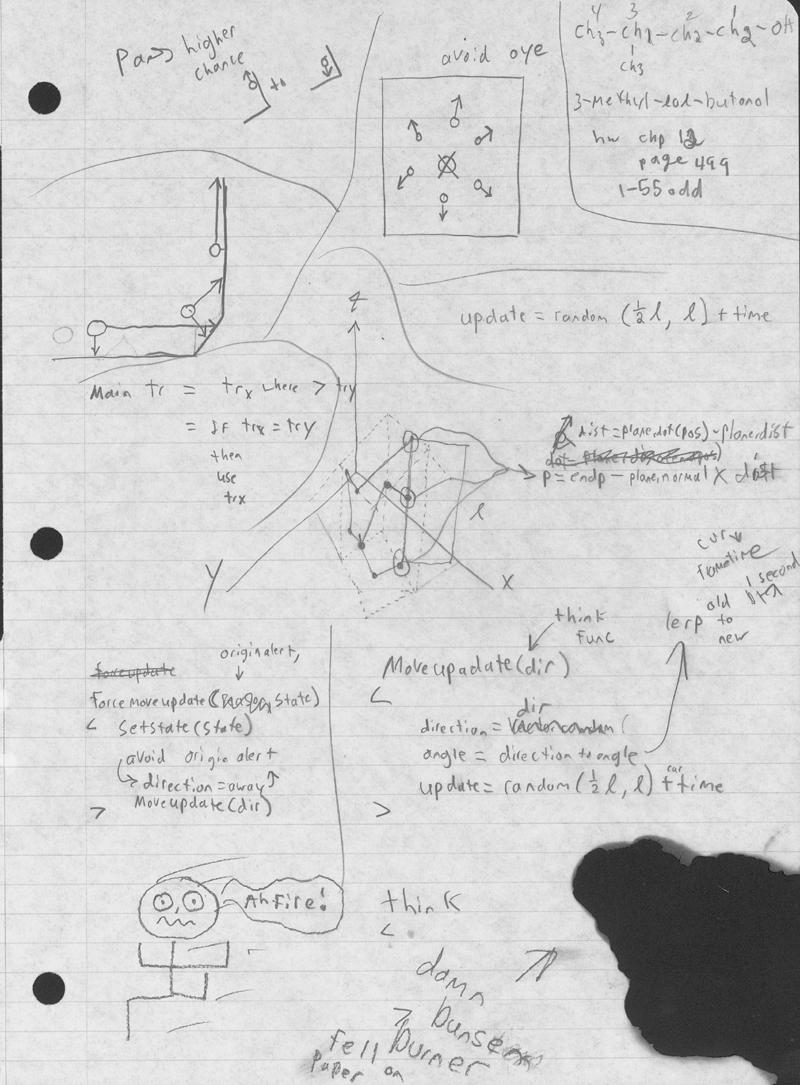
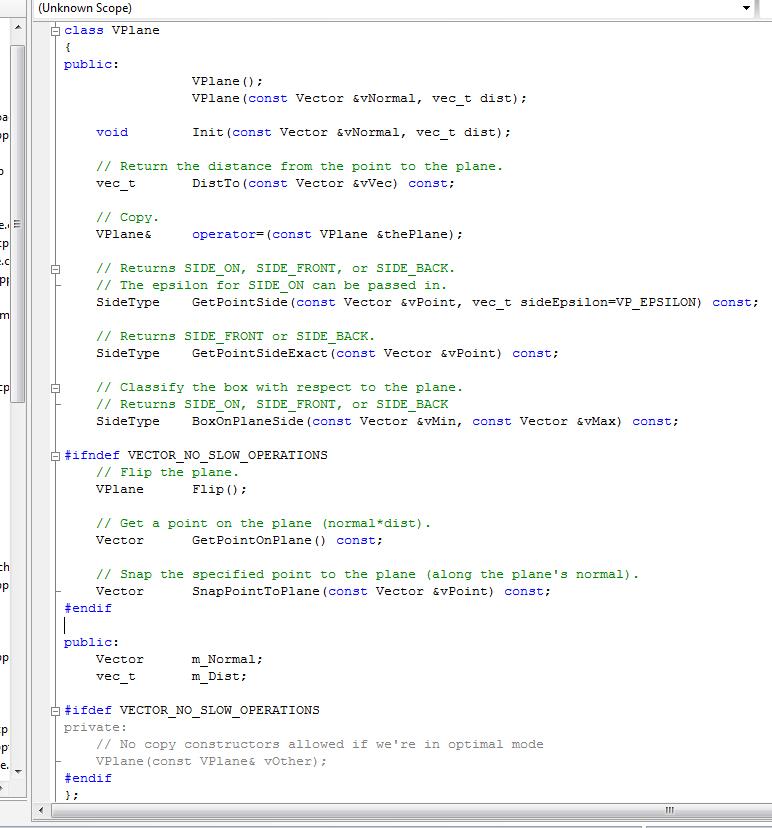
The logic sounded good, but oh how would I code the logic of finding the edge of a plane? Well the sdk provides the "traceline", so I can find the end point or point which hit the brush. However, I needed a way to get a hold of the surfaces of the brush for the trick to work. I went on a scavenger hunt in the sdk. Alas, my good friend Paul finds the very interfaces which I needed...behold the almighty functions and interfaces:
vplane.h
and
IengineTrace.h
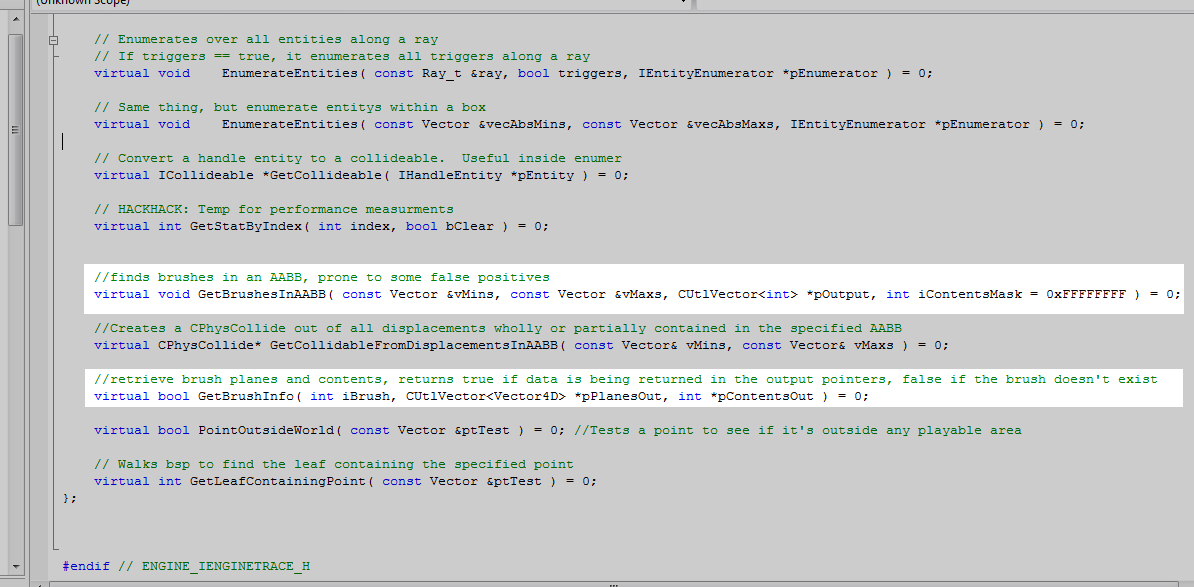
With these bad boys I can achieve what I dreamed and have a crap load of roaches with only a small expense...just a quick note that if you notice that GetBrushInfo(...) returns a list of Vector4Ds. This includes the normal vector and the distance from the origin. I don't expect many to understand why this is without preexisting knowledge of plane/math logic. However, lets just say it lets us find the edge of the plane given a point where all the surface points close to the test point are calculated. In the picture below, the middle bottom circle is where the roach hit the brush, and the other three spots are points located on the other surfaces of the brush. Thus, I'm able to find the edges on the brush or surface, and scream with joy! Oh, and the texture you see or white dots are TEST/Development Textures which will be replaced in the final game. (Yes, the white dots are representing silly roaches)
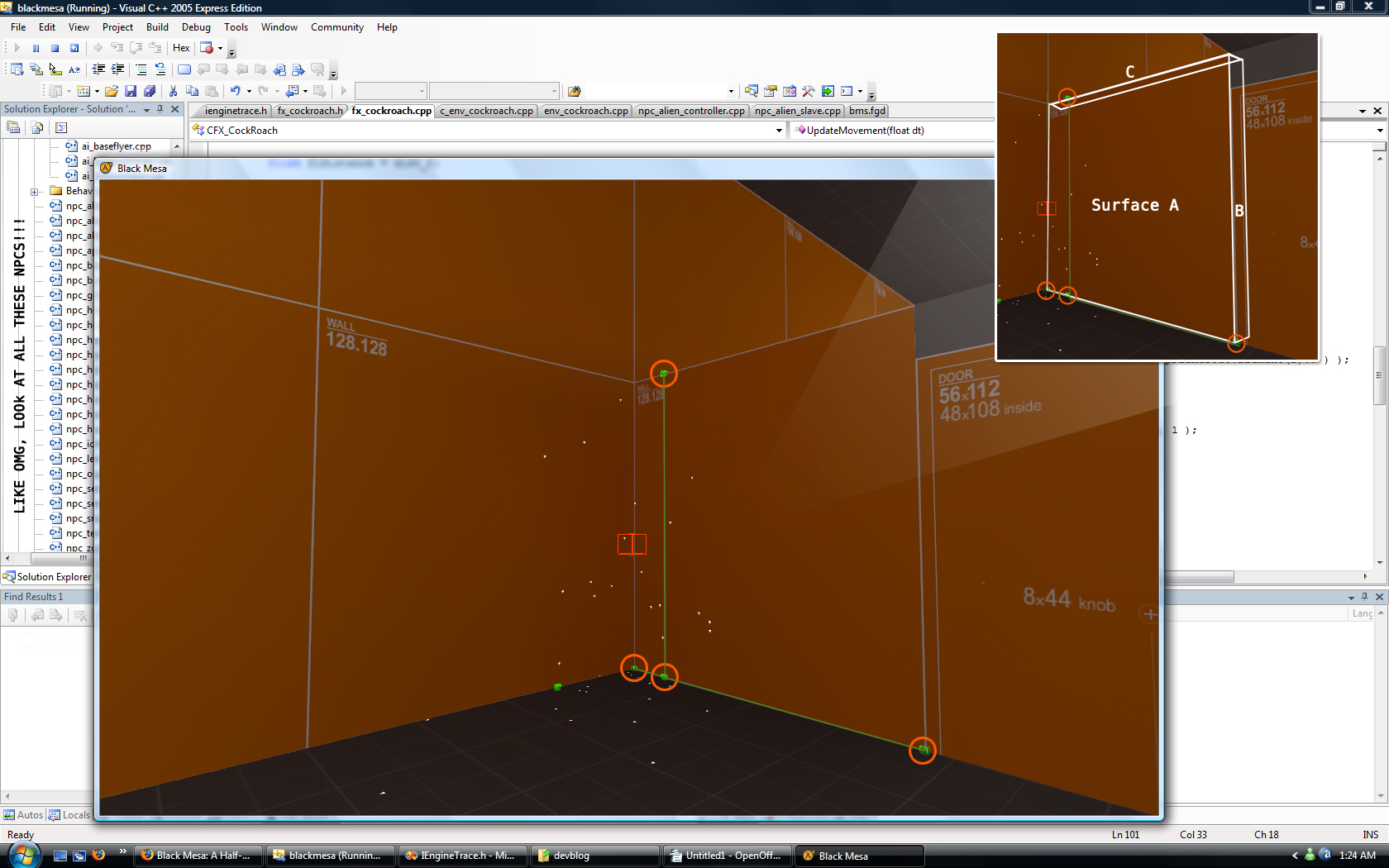
Oh the shrill of having a ton of these guys running about on the map in an overwhelming number should bring plenty of fans screaming "ew!" or "cool!".
( The roaches seem to flicker when recording with fraps )
Oh, you can step on them and shoot them....
The sdk can provide some useful features to help get the job done while other times not so much. As in the case with the flying npcs in the sdk (specifically the scanner) where valve wrote code which deviated away from their usual organized ways. You see, most of the hl2 NPCS use a class called AiNavigator to, as the name implies, navigate through the world by selected nav paths. Now there is code inside the navigator to handle flying AI and valve uses a part of it for the scanners. However, valve decided to just code in how the scanners fly in the NPC classes itself rather then let the AINavigator handle all of it. A little odd, though I can understand for the reason of having each flying NPC handle its own way of flying a bit easier then having to mess with the navigator. Valve's basefly class works great, but considering we want our flying AI to be pretty bad ass, more interesting, and not to mention more cleaner code, we needed a revision...
So instead of using valves flying code, we wrote a our own class to handle the movement for the Alien Controller, Ichthyosaur, Leach, Osprey, Apache, & so on. With an all new fly class we where able to control how we wanted each of these npcs to move through the air and attack. You will find a video below demonstrating the work in progress controller movement with his attacks disabled. As you can see, the controller will be constantly moving around the player to keep the player on his toes. Also, you can note how his hands, feet, and body react toward the direction of flight and speed - he also blends his angles (slightly buggy, but remember its work in progress....). Anyway, the sdk is great with somethings, and other things its a load of blop. Though its what we are using and so we will push it to its limits and carry on kicking ass....
Please note that you may see his hands twitch every now and then, this is due to the controller trying to attack.
Since his attack fails ( as I disabled his attacks for the video ) he twitches.